How To Use an RSS Element
A preconfigured view of an RSS Feed added direclty to a Layout
Written By Ed Kinne
The RSS Element gives you a way to view an RSS feed on a design
Adding an RSS Feed
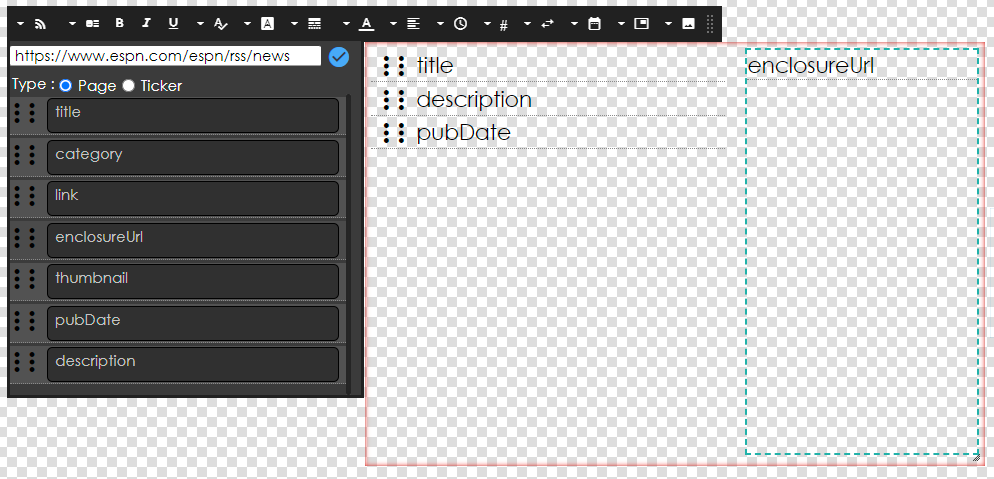
When you add the RSS Element, it will create a container. When you open the Edit Element options, first add the URL for the RSS Feed sources, then choose whether to view the data as a Page or in a Ticker. These settings will change the options that are presented as you customize your element

Customizing a Page RSS Element
After entering your URL, the data fields the RSS has will show. The items and how they can be arranged and displayed will vary based on what the RSS feed provides.
Icon | Setting Description |
 | Template: Sets a layout of data fields; choose from 3 pre-made or customize your own If customized, you can drag-and-drop the different data fields to the design 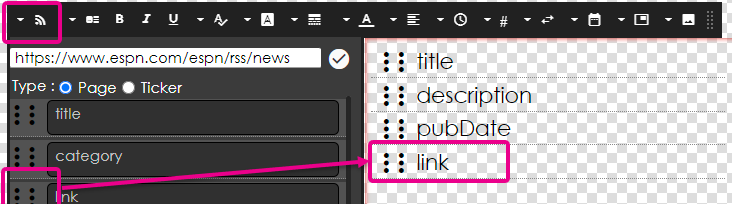 To remove a field, click on it and press the Backspace or Delete key on your keyboard |
You can click on any individual item to then set an option for that 1 data point using the settings described below. | |
 | Bold / Italic / Underline: Select a specific data field, and you can enable it |
 | Font Size lets you change the text size using a slider. You can also click the numerical indicator to type the size you want. |
 | Font Family allows you to change the font |
 | Padding sets a space between items |
 | Font Color allows you to select a font color |
 | Alignment options for justifying your text. Available options are Left, Center, or Right. |
 | Duration/Speed: number of seconds each item is shown before moving to the next on the feed |
 | Content Items: sets a number of items to show |
 | Effect: Sets a transition from item to item in the feed |
 | Date Format: Set the mask for how date and time are represented |
 | Link As: Sets the display as either a text link as text or a QR code |
 | Image Resize: Sets a percentage to view images as If an image reference is provided, you can drag it to the right-hand box and then use the settings to resize it 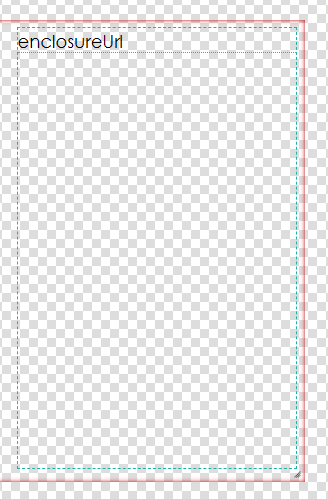 |
Customizing a Ticker RSS Element
Icon | Setting Description |
Ticker Items | To add data fields to the ticker ribbon, click and drag them from the feed to the ticker To remove, click on the data field in the ticker to highlight and click the Delete key on your keyboard |
You can click on any individual item to then set an option for that 1 data point using the settings described below. | |
| Bold / Italic / Underline: Select a specific data field and you can enable it |
| Font Size: lets you change the text size using a slider. You can also click on the numerical indicator to type in the size that you would like. |
| Font Family: allows you to change the font |
| Padding: sets a space between items |
| Font Color: allows you to select a font color |
| Alignment: options for justifying your text. Available options are Left, Center, or Right. |
| Speed: How fast does the ticker move |
| Content Items: sets a number of items to show |
| Direction: Sets the direction the ticker moves |
| Date Format: Set the mask for how date and time are represented |
| Link As Sets: Set to display any hyperlinks as text or a QR code |
Previewing the RSS Feed in the Builder
To preview the actual RSS feed content, click the Eyeball on the Control Panel

Other RSS Display Options
If you would like more control, including data filtering and complete design control, you can create an RSS Data Adapter to ingest an RSS feed.
For more information, see How To Use an RSS Element and How To Add Data To A Layout Or Message
RSS Sources
Many RSS feeds are available on the internet. To provide a starting point, we have the Popular RSS Feeds article that lists some popular ones.
Still need help? Share an idea