Converting Chromeboxes Using Legacy Kiosk App to the Current PWA (Progressive Web App) Player
Written By Ed Kinne
Google has announced that starting in July 2025, Chrome app support is being phased out in stages and reaches end of life in October 2028.
Please review Google’s Anouncment here: End of support for Chrome apps
Which details their timeline for ending support of specific ChomeOS versions, including specific information about Chrome aps in kioks mode.
In order to avoid potential disruption in service, all customers who use Korbyt on digital signage players using Chrome OS will need to migrate to a new player. To get started, customers should contact Customer Support to discuss the resolution and being the migration process.
Steps in Provisioning Chrome OS Replacement Players
To begin the process the first step is to convert the affected devices from a Kiosk player to a PWA player. This will require the help of a Korbyt support agent as the players will need to be rebooted from the Google Administration Console behind the scenes (which only Korbyt can do for you) to display a new provisioning token.
All players to be converted must have an Active status in the Korbyt CMS’s players tab. A physical reboot may be necessary to reconnect the player on the network to become Active.
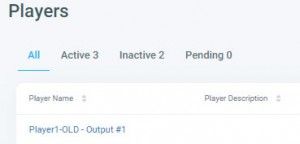
The new PWA players will need to be provisioned into the players’ tab in the Korbyt Anywhere CMS.
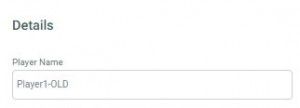
The players will need to be renamed if you are using a previous naming convention.
Since there cannot be 2 players with the same name, the original (Chrome OS enabled) players need to be renamed. A simple ‘-old’ can be added at the end of the player’s name.
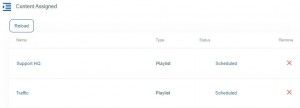
Once the new PWA players have been provisioned and renamed the content from the original players will need to be scheduled.
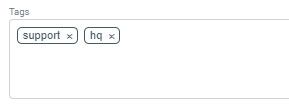
Any metadata and tagging if used on the original players, will need to be added to the new PWA player
Once the conversion has been completed, the original players need to be deleted from the players’ tab in the Korbyt CMS.
The Korbyt Support team is standing by to answer any questions and assist you through this change. Contact Korbyt Support today to get started.
Still need help? Share an idea