Playlist Content Report
A report that shows content that is being included on a playlists
Written By Ed Kinne
The Playlist Content Report is a Core Report in Korbyt Signage that shows all the media items included in a playlist.
If you generate the report for a player, it catalogs the content included based on that player's metadata, giving you an easy way to see content assigned even through a highly automated, clever rule.
To open the report:
In the Analytics section of the navigation menu, click on Reports
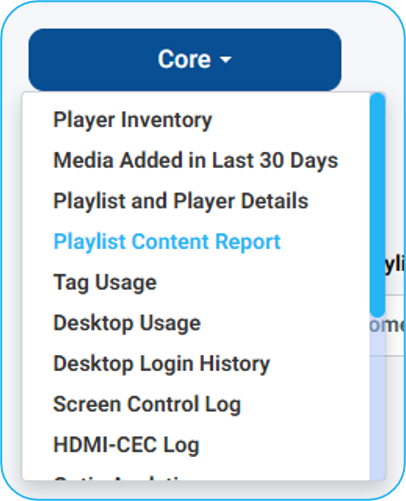
In the Core dropdown, select Playlist Content Report
A Playlist selection is required

You can generate the report with just the Playlist selected
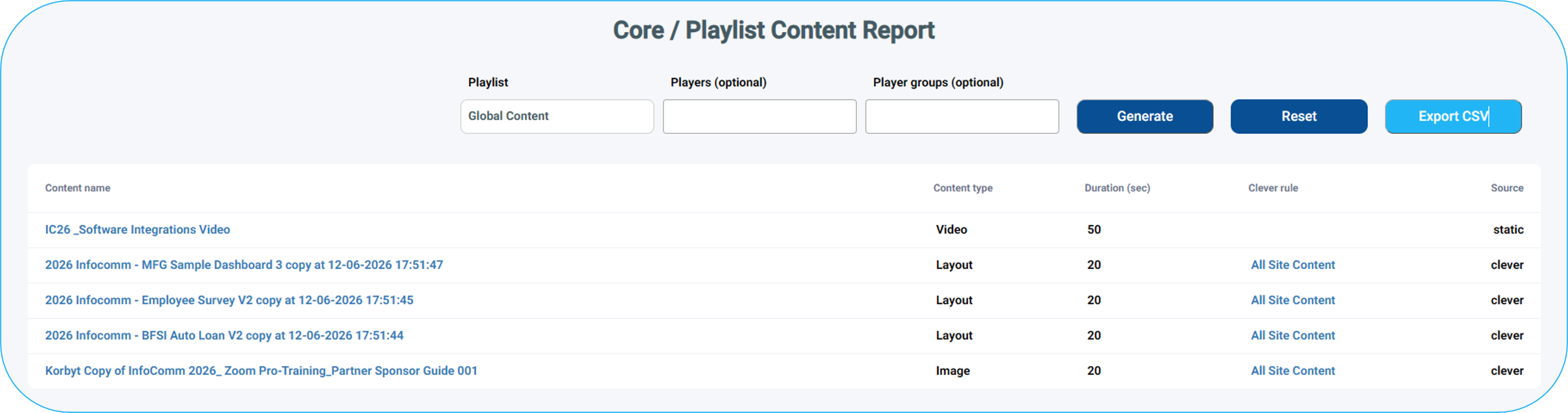
In this case, it will show content that has no limits based on local player metadata
It will not show items that are going to be selected or filtered based on player characteristics
If you add a Player, it will use that player’s metadata (city, state, room, etc.) to report back all the clever chosen content that would apply to that player
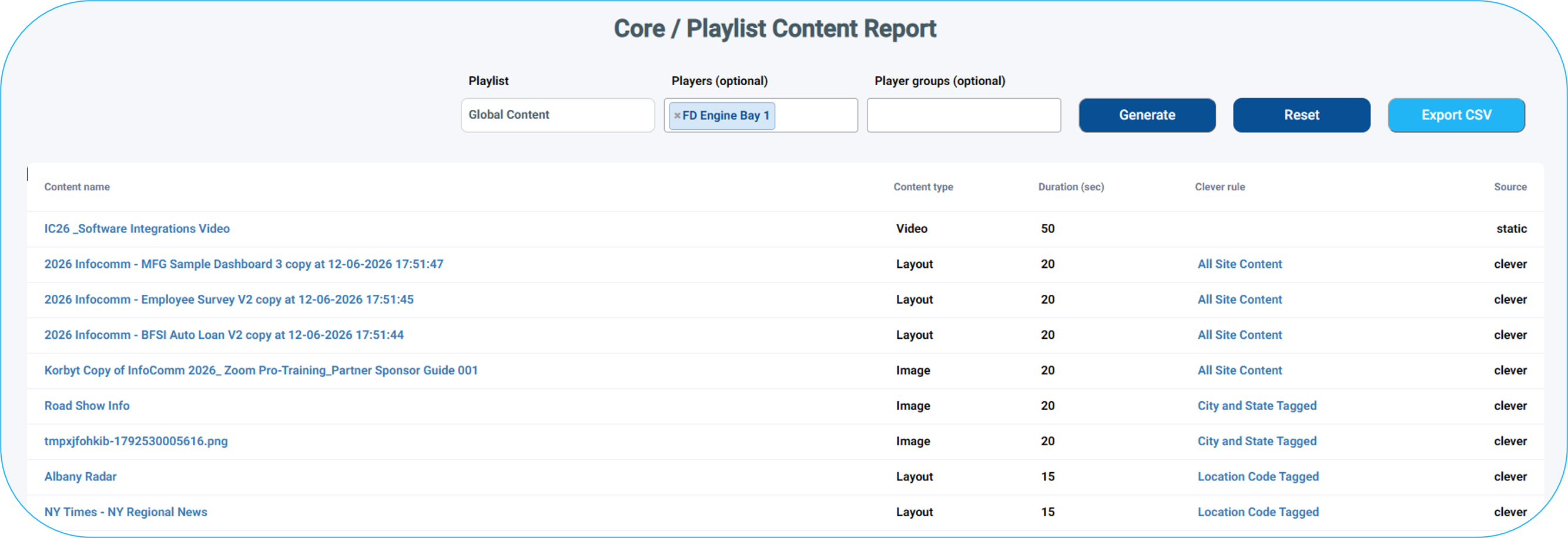
This is especially helpful if your clever playlist uses Player Metadata as the tag value in the clever rule, as those types of rules do not show previews in the playlist.
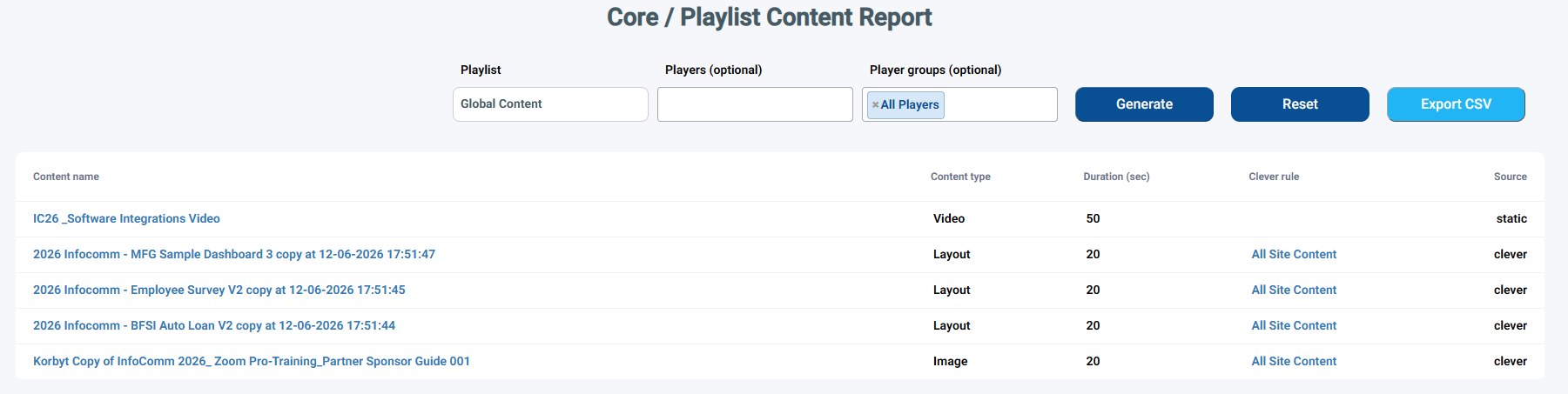
If you add a Player Group, it will only show items that will play on all members of the group
The Effect of Validity Dates on the report
The report will only show content that is currently active. Any expired or future dated content will not be present in the report
The report details include:
Content Name
Clicking on the name will open a new tab on the Media detail page for pictures and videos, or open the Layout Builder for layouts
Content Type
Duration
Clever Rule
This is the Clever rule name, and clicking the name will open the playlist
For static content, this space is blank
Source
Clever if in the playlist based on a Clever rule
Static if manually added
Was this helpful?
Still need help? Share an idea